bcyptjs는 데이터 암호화 할때 사용
bcryptjs - npm (npmjs.com)
bcryptjs
Optimized bcrypt in plain JavaScript with zero dependencies. Compatible to 'bcrypt'.. Latest version: 2.4.3, last published: 7 years ago. Start using bcryptjs in your project by running `npm i bcryptjs`. There are 3373 other projects in the npm registry us
www.npmjs.com
jsonwebtoken는 회원 인증(로그인)
jsonwebtoken - npm (npmjs.com)
jsonwebtoken
JSON Web Token implementation (symmetric and asymmetric). Latest version: 9.0.2, last published: 4 months ago. Start using jsonwebtoken in your project by running `npm i jsonwebtoken`. There are 26060 other projects in the npm registry using jsonwebtoken.
www.npmjs.com
모듈 설치
npm i bcryptjs jsonwebtoken
사용자 비밀번호 암호화, 로그인
const bcrypt = require('bcryptjs')
const register = (req, res, next) => {
bcrypt.hash(req.body.password, salt, function(err, hashedPass) {
if(err) {
res.json({
error : err
})
}
let user = new User ({
name : req.body.name,
email : req.body.email,
password : hashedPass
})
user.save()
.then(user => {
res.json({
message:'Register Success'
})
})
.catch(error => {
res.json({
message : 'error'
})
})
})
}
const login = (req, res, next) => {
var username = req.body.username
var password = req.body.password
User.findOne({email:username})
.then(user => {
if(user) {
bcrypt.compare(password, user.password, function(err, result) {
if(err) {
res.json({
error: err
})
}
if(result) {
let token = jwt.sign({name: user.name}, 'secretKey', {expiresIn: '1h'})
res.json({
message: 'Login Success',
token
})
} else {
res.json({
message : 'Password not matched'
})
}
})
} else {
res.json({
message: 'No found'
})
}
})
}
인증 확인
aucthenticate.js
const jwt = require('jsonwebtoken')
const authenticate = (req, res, next) => {
try {
const token = req.headers.authorization.split(' ')[1]
const decode = jwt.verify(token, 'secretKey')
req.user = decode
next()
}
catch(error) {
res.json({
message: 'Authentication Failed!'
})
}
}
module.exports = authenticate;
router에 인증확인 추가
router.js
const express = require('express')
const router = express.Router()
const EmployeeController = require('../controllers/EmpolyeeController')
const authenticate = require('../middleware/authenticate')
router.get('/', authenticate, EmployeeController.index)
module.exports = router
테스트
1. 회원등록
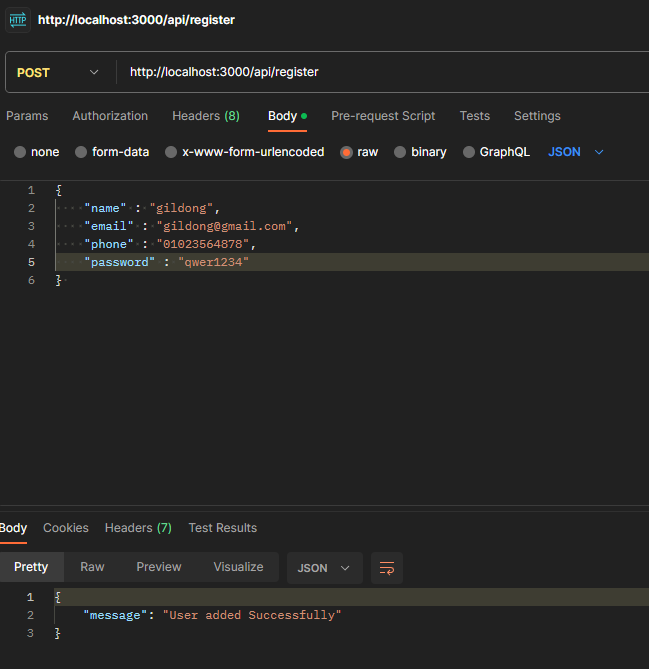 회원등록
회원등록
2. DB에서 데이터 확인

패스워드가 암호화됨
3.로그인
성공시
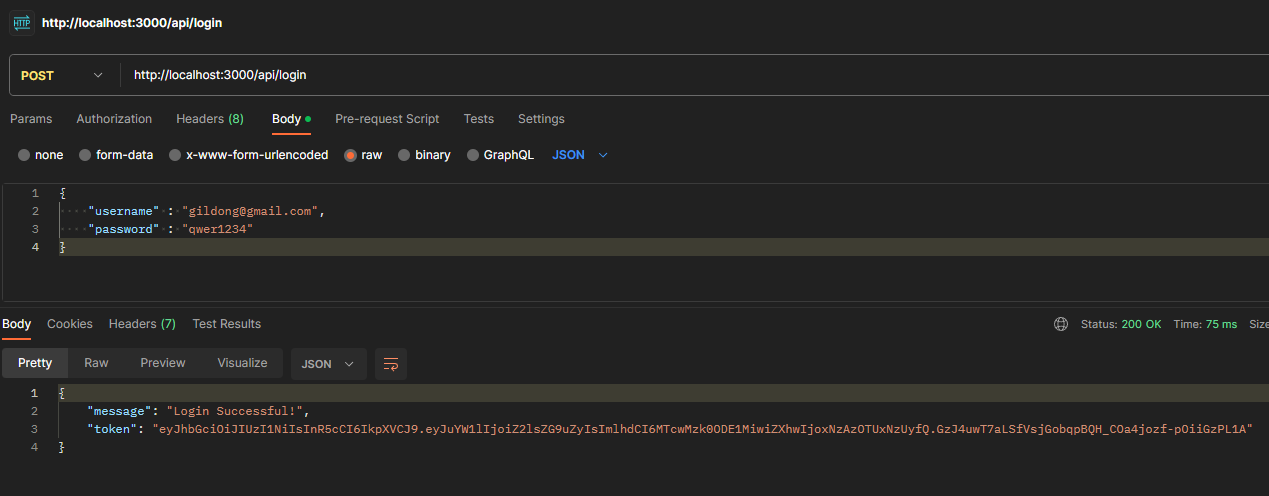
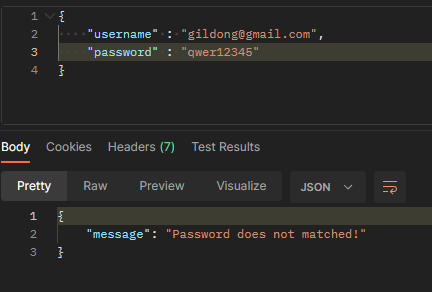
실패시
4. 인증 확인
로그인 안하고 들어올시
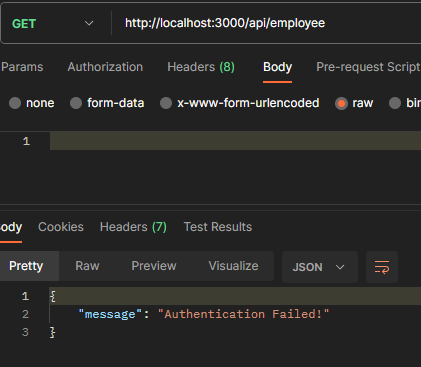
Headers에 Authorization을 추가하고 Bearer 다음에 토큰을 넣어서 접속하면
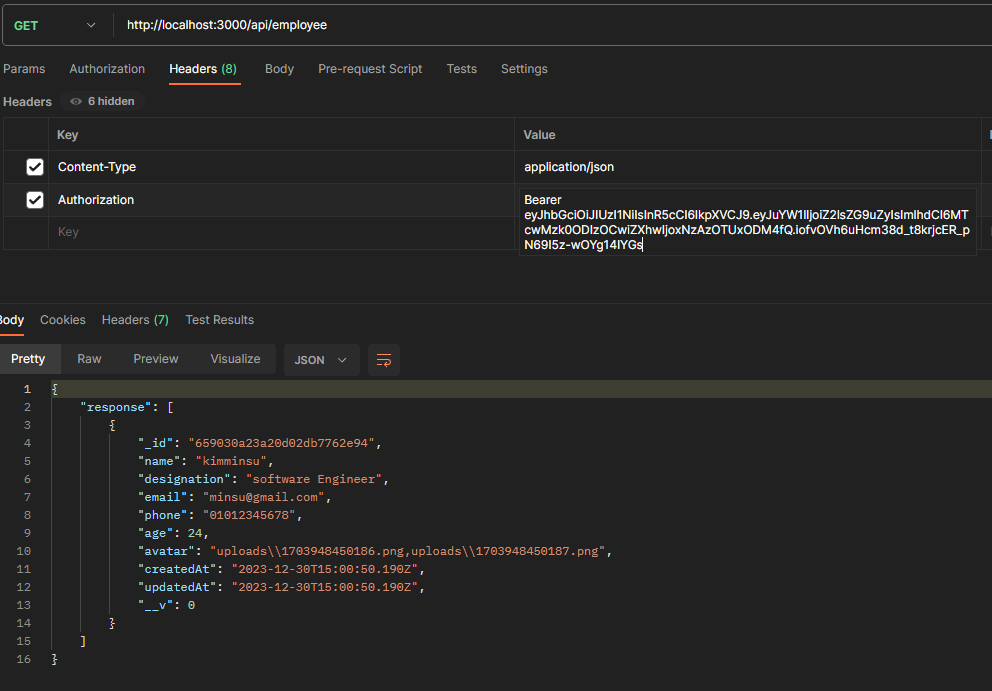
employee에 접속할 수 있음
참고
NodeJS and MongoDB Tutorial #5 - User Login Registration (youtube.com)